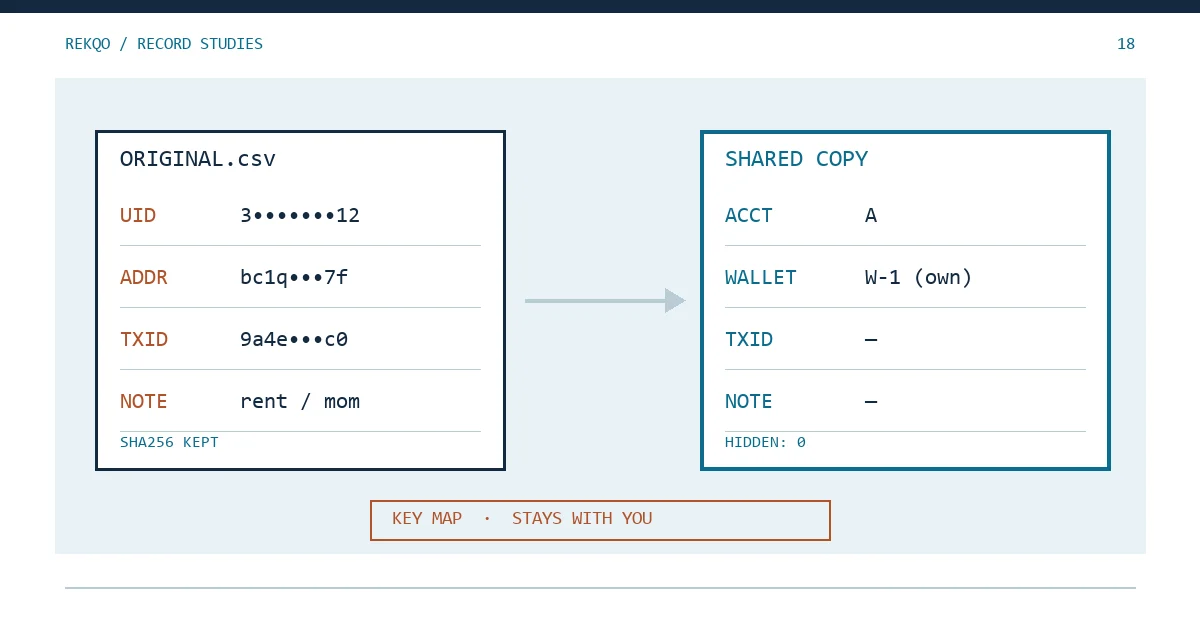
Illustration only: in early November, October’s reconciliation workbook and three original exports are due to go to the accountant preparing your annual paperwork. Next to the dates, assets and amounts there is a UID column, a deposit address column, a withdrawal address column and a TxID column. The notes say things like “paid back a friend” and “rent”. Column F is hidden; it holds wallet addresses you pasted in while checking.
What the accountant actually tests is the date, the asset, the amount, whether it came in or went out, and the fee. Those columns have to be complete. The UID, addresses, hashes and personal notes rarely matter for that work, so in a saved copy you can replace them with aliases or drop them. A hidden column has not been removed; it needs to be cleared before the file goes anywhere.
Which columns does an accountant need from a crypto export?
Before deleting anything, ask one question: which months, which accounts, and is this a check of month-end balances or of every transaction? For balances alone, a summary sheet plus evidence for each closing figure is often enough, and the line-by-line detail can wait.
When they do need the detail, keep these columns intact:
- timestamp, with the time zone it was recorded in (if your export and the website disagree by a day, see CSV Dates a Day Apart? Check the Time Zone First);
- asset and quantity, signs included;
- type: buy, sell, deposit, withdrawal, transfer, reward;
- fee and the asset it was charged in (Which Asset Paid Your Binance Fee?).
Hold back everything else until they ask about a specific line. It may cost an extra email or two. A file that has been sent cannot be recalled, so sending less and adding later is the safer trade.
What a UID, a wallet address and a TxID each reveal
A UID is the number an exchange assigns to an account. It is not a password and nobody can sign in with it alone. Put it in the same file as your name and a month of activity, though, and it ties that activity to one specific account. Reconciling quantities does not require it; call the account “A” in the shared copy.
Wallet addresses deserve more care. Section 10 of the Bitcoin white paper, on privacy, says transactions must be announced publicly and that privacy depends on keeping public keys anonymous; it also warns that once the owner of a key is revealed, linked transactions can be traced back to that owner. An address on its own says nothing about who holds it. Placed next to your name, it lets the reader look up its whole history on a block explorer, past and future, not just October.
The transaction hash (TxID) is the one people forget. Paste it into an explorer and the sending and receiving addresses appear. Removing the address column while keeping the hashes leaves the addresses one search away.
Personal details in reconciliation notes
The notes column in a platform export is usually just a type label. The trouble is in the notes you added yourself while reconciling: names, loans and repayments, rent, a group chat’s name, a friend’s address, typed in a hurry and forgotten weeks later.
Filter that column and read it on its own. Keep remarks that explain the reconciliation, such as “18 Oct transfer misclassified, fixed in v2”. Replace the rest with something neutral, like “personal transfer, explanation available”, or clear it. Record what each line originally said in your own key file, not in the copy.
Hidden columns are still in the file: run Inspect Document in Excel
Hiding a column or a worksheet does not take the data out of the workbook. Anyone can right-click and choose Unhide. Comments and the author name stored in document properties travel with the file too.
Excel’s Document Inspector is built for this. Microsoft’s help page gives the route as File tab, then Info, Check for Issues and Inspect Document. Its Excel section lists what the inspector can find and remove, including comments, document properties and personal information such as the user name, headers and footers, hidden rows and columns that contain data, and hidden worksheets.
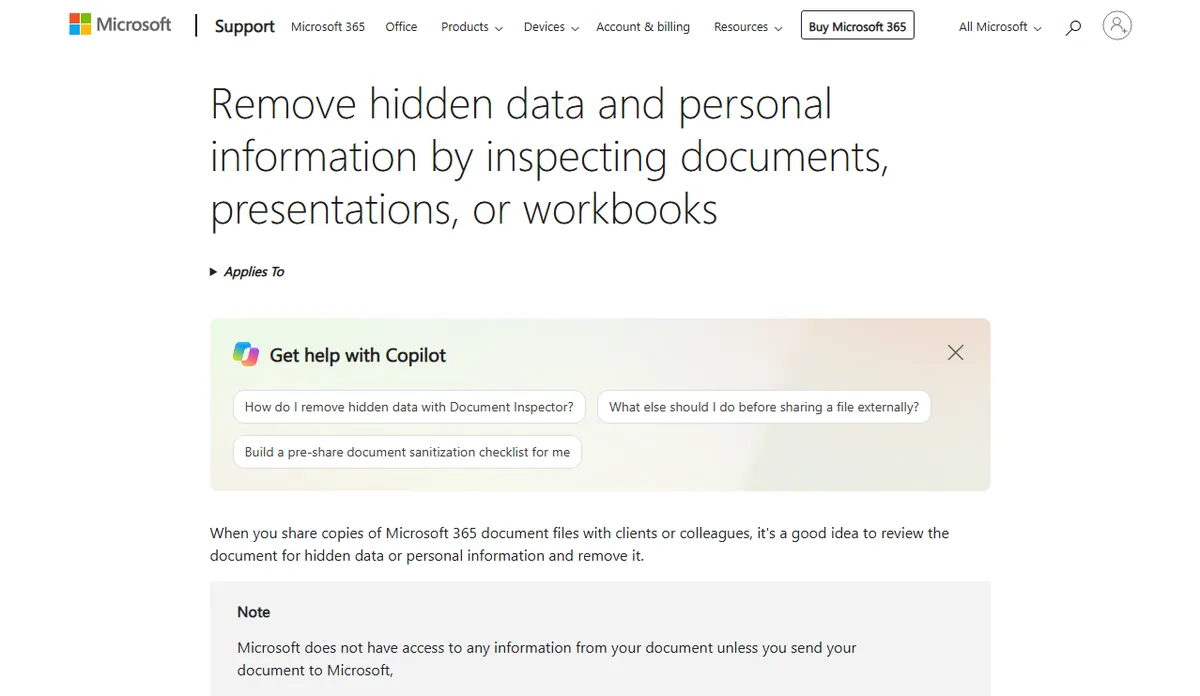
Two warnings on that page are worth following. Run the inspector on a copy, because removed content cannot always be restored. And if hidden rows or columns contain data, removing them can change formula results. So: save a copy, convert formulas to values, unhide everything and look at each column, then inspect.
A CSV file has no hidden columns or comments, so deleting the unwanted columns is enough. Be careful about re-saving it from a spreadsheet program, which can rewrite long numbers and dates; see Binance CSV Problems After Opening a Spreadsheet first.
When the accountant must verify a transfer between your own wallets
One kind of check cannot avoid addresses: showing that a withdrawal went to another wallet you control rather than to someone else. Left unmatched, such transfers get counted as spending or income in the totals, as explained in Why Internal Transfers Can Inflate Reported Income.
Supply addresses for those rows only. In the copy, write “W-1 (own wallet)”. When the accountant asks to verify it, send the full address for W-1 separately and say which wallet it is. They end up with the transfers they need to test, not a directory of every address you hold.
Naming the shared copy and keeping the alias key
All of the edits above happen in the copy. The original download stays exactly as it was, with its file fingerprint recorded, as described in Several Versions of One Month’s Reconciliation? Give the copy its own name:
Example: 2026-10_A_shared_v1.xlsx
Keep UIDs, email addresses and your real name out of the file name as well; it shows up in attachment lists and subject lines. The table that maps account aliases and wallet aliases to the real values goes into your own archive folder and is never attached. Six months later, when the accountant asks about “the W-1 transfer”, you can look it up. Their copy still contains only the alias.
Three checks before sending, then log what you sent
- Each asset’s total in the copy matches the total calculated from the originals. Deleting columns should not change a single number; if one moved, a row went with it.
- With everything unhidden, you can name every column.
- The file properties do not show your real name or your computer’s user name.
Then add a line to your archive index: the date, the recipient, the file and version sent, and which columns were removed or replaced. Next month’s update can follow that line instead of starting from scratch.