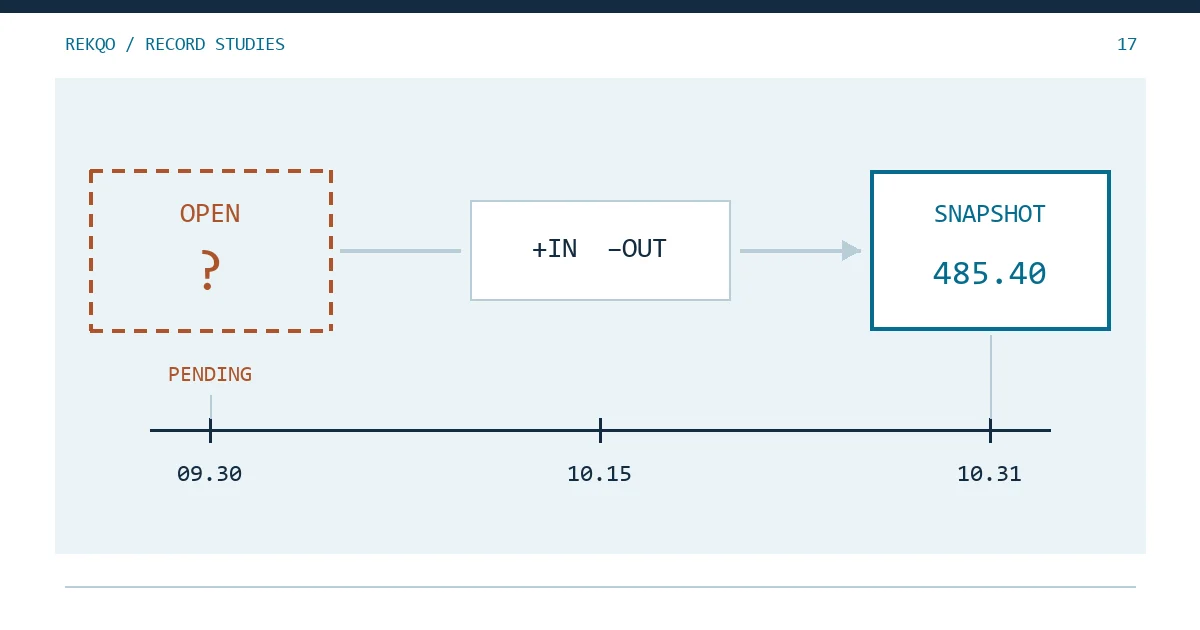
Illustrative data: say you want the ledger for account A to start on 1 October. You have exported October’s deposits, withdrawals and fees, which net to +179.60 USDT, and you saved the balance on 31 October: 485.40. What you don’t have is the USDT balance at the end of 30 September. There is no screenshot from that day and no earlier ledger.
The quick fix is arithmetic: 485.40 minus 179.60 gives an opening balance of 305.80. Don’t book it. Enter the opening balance as an open item that says which evidence is missing and where to get it, close October as normal with a note that the starting figure is unconfirmed, and replace it once the real number turns up.
Why a back-solved opening balance hides missing records
A back-solved opening balance is built from the closing balance and the month’s activity. Test it against that same closing balance and it will always agree, because both sides of the equation use the same numbers.
The month’s activity, though, may be incomplete. Suppose a 2.00 withdrawal fee never reached the October export. The true opening balance was 307.80; the back-solved one is 305.80. The missing 2.00 disappears into the opening line, October reconciles to the cent, and so does every month after it. That record will never show up as a difference again.
So the opening quantity has to come from dated evidence that sits outside your ledger. Bookkeeping software takes the same line: the GnuCash Guide suggests using the balance from your last bank statement as the opening balance and entering it as a transfer from an equity account called Opening Balances, not from income.
Where a dated opening balance can come from
Roughly in order of how much weight each one carries:
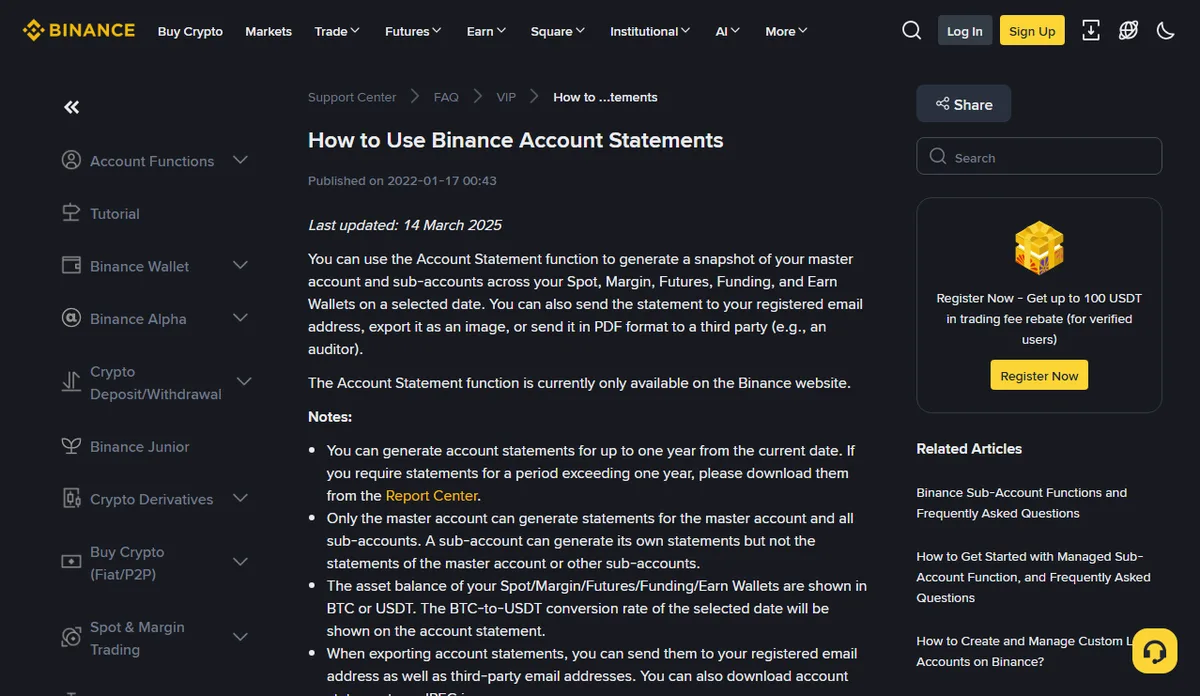
- A balance snapshot the platform generates for that date. Binance’s Account Statement produces a snapshot of the master account and sub-accounts across the Spot, Margin, Futures, Funding and Earn wallets for a date you pick. It lives under [Wallet] – [Account Statement], and the help page says it is currently available on the website only.
- The closing balance of an earlier ledger, provided that ledger was reconciled at the time and its cut-off date and account scope match the new one.
- Complete history from the day the account was opened. The balance was zero on day one, so if every record since then is available you can add the opening figure up line by line. That beats back-solving because it never touches the closing balance. One missing stretch, though, and it is no more reliable than the shortcut.
A phone screenshot showing only total estimated value doesn’t make the list. Value moves with price; it can’t tell you how many units of each asset you held.
Three details in Binance Account Statement that decide whether the number works
The same help page contains three notes that bear directly on using a statement as your opening balance.
First, the on-screen view lists only the top five asset balances and groups everything else under [Others]. If the asset you need is a small holding, its quantity may not be visible at all. According to the page, a PDF export lets you include either the five largest positions or all positions; for an opening balance, choose all. Every PDF has to be protected with an eight-digit password, and the download link expires after seven days. Store the file and the password in different places.
Second, statements go back at most one year from today. Older dates require the Report Center, and non-VIP users first have to apply through the VIP Portal; eligible accounts get Report Center access after three working days. The further back your opening date, the sooner you should start.
Third, balance data refreshes daily at 00:00:00 UTC+0, and until it does, the latest record is from the day before yesterday. The page does not say which moment of the selected date the snapshot represents. If your ledger closes the month on local time, note that the statement date is read as UTC and check the entries either side of month-end with the time-zone guide.
Finally, map the statement to your account scope. The statement breaks balances out by wallet; if your ledger covers Spot only, take only the Spot figure and leave the Funding wallet out of the opening balance.
Log the missing opening balance as an open item
“Opening balance unknown” is not an open item. Write it so that someone else could pick up the search without asking you anything. For example:
Illustration: Account A · USDT · opening date 2026-09-30 (UTC) · status: open · missing evidence: Account Statement for that date (PDF, all positions) · tried: on-screen statement, USDT sits under [Others] with no quantity · estimate 305.80 (month-end snapshot − October net activity; for comparison only, not booked) · next step: export the all-positions PDF
Keep the estimate if you like, in its own column with a note on how it was derived. It earns its place later, when you compare it with the real figure.
With several assets, give each its own line. If BTC has a statement and USDT doesn’t, only the USDT line stays open. One missing piece of evidence doesn’t put the whole account’s opening balance on hold.
Can you close the month without an opening balance?
Yes, as long as you are clear about what has been verified. The month’s inflows, outflows and fees are backed by records and can be totalled as usual. The closing quantity comes from the month-end snapshot, which is evidence too. The only unverified piece is the link between them: whether opening plus net change equals closing. Mark that check “not verified, opening balance open”.
What you shouldn’t do is book the leftover from closing balance minus activity as this month’s income, or as an “adjustment”. The opening balance is what you held before this ledger began. In GnuCash’s model it sits against equity, not income (see also a higher balance does not establish profit).
The real opening balance arrives and doesn’t match your estimate
Replace the open item with the real figure, change the status to “confirmed” and record the evidence file name. Then hold it up against the estimate.
If they match, the month’s activity was complete and you are done.
If they don’t, the gap is exactly what is missing from, or extra in, the month’s activity. In the example the real opening balance is 307.80 against an estimate of 305.80: 2.00 of October outflows were never recorded. The question has moved from “what was the opening balance?” to “which day in October is short a record?”, and the method in find the day the difference started answers it. Resist closing it out with a 2.00 “adjustment”. To work out the quantity difference at each checkpoint, the per-asset balance tool will do the sum for you.
From next month, this month’s closing balance is your opening balance
Whatever evidence you keep when you close this month becomes next month’s opening evidence. So on the last day of the month, take one extra step: for every account and asset in the ledger, save a dated balance (an all-positions statement export, or whichever snapshot you rely on). Put the date and the account nickname in the file name and file it with that month’s exports; building a traceable ledger covers how to lay out the folders.
Statements only reach back a year. An opening balance you can export yourself today will need a separate request twelve months from now.