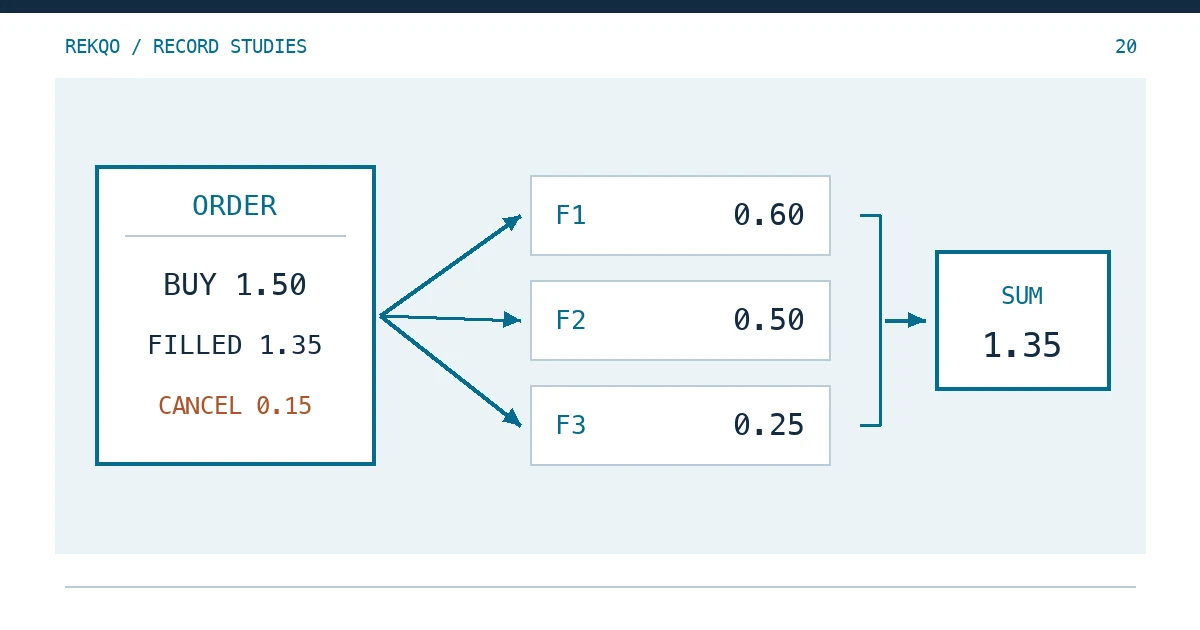
Example data: on 25 October, account A places a limit buy on ETH/USDT for 1.50 ETH at 2,400.00 USDT. At month-end, Order History shows that order once. Trade History shows three rows with different times, prices and sizes. The last 0.15 ETH never filled and was cancelled that afternoon.
The three rows are not duplicates and not three orders. Record each fill as its own ledger line, tag every line with the order it belongs to, and check that the fills add back to the order’s filled quantity and filled amount. The 0.15 ETH that never filled stays out of your balance.
Why does one order show several rows in Trade History?
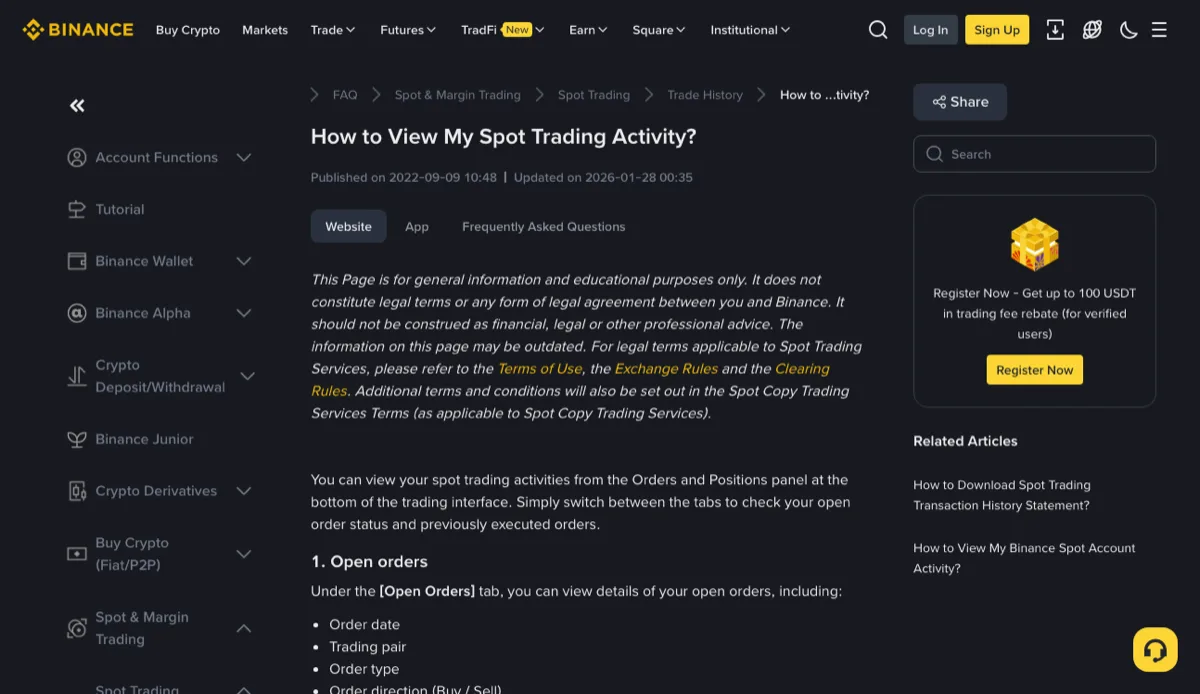
Binance answers this directly in its help article How to View My Spot Trading Activity?: to fill your order, the system may match it with multiple orders on the order book, and those matches still belong to the one order you placed.
If the best ask only has 0.60 ETH, your buy takes that, then moves to the next price level, and so on. A new price level means a new row. Two counterparties at the same price, in the same second, can also mean two rows.
Order History vs Trade History: which one feeds the ledger?
The same article lists what each tab shows.
Order History has one row per order: date, pair, type, side, average price, order price, filled quantity, order amount, total and status. It tells you how much of the order eventually executed.
Trade History has one row per match. The article notes that this is where you see fee details and whether you were the maker or the taker. It tells you when coins and USDT actually changed hands, and at what price.
Balances move at the moment of the fill, so your ledger lines come from Trade History. Order History never changes a balance; it is the reference you check against. Keep both. In the app, each tab has a Download icon in its upper-right corner. For choosing date ranges and spotting gaps in the files, see Binance History Export: Check Scope and Missing Records.
Recording a partially filled order, line by line
| Local order ID | Fill | Time | Price (USDT) | Qty (ETH) | Total (USDT) | Fee (ETH) |
|---|---|---|---|---|---|---|
| A-1025-01 | F1 | 10-25 09:12:05 | 2,399.00 | 0.60 | 1,439.40 | 0.00060 |
| A-1025-01 | F2 | 10-25 09:12:05 | 2,400.00 | 0.50 | 1,200.00 | 0.00050 |
| A-1025-01 | F3 | 10-25 13:47:31 | 2,400.00 | 0.25 | 600.00 | 0.00025 |
The first column is the link between the two files. If your downloaded trade file carries an order number column, use it. If it does not, group fills under their order by pair, side and time, and give the order a local ID such as account alias, date and sequence. Mistakes are most likely when you placed several orders on the same pair on the same day; price helps there, because a limit buy never fills above its limit.
F1 and F2 share a timestamp, which can look like a double import. Look at price and size before deleting anything: only rows identical in every field deserve suspicion, and Find Overlapping Dates in Crypto Export Files covers that case. Here the prices differ, so the order simply crossed two price levels in one second.
When the fills don’t add up to the order total
Hold the Order History row against the three fills:
- Quantity: 0.60 + 0.50 + 0.25 = 1.35 ETH, the order’s filled quantity.
- Total: 1,439.40 + 1,200.00 + 600.00 = 3,239.40 USDT, the order’s total.
- Unfilled: 1.50 ordered − 1.35 filled = 0.15 ETH, consistent with the order’s status.
The third check is the one people skip, and it is the one that answers “I bought 1.5, why do I have 1.35?”
Do not rebuild the total from the average price. In the example, 3,239.40 ÷ 1.35 = 2,399.555…; if the average is displayed to two decimals as 2,399.56, multiplying back by 1.35 gives 3,239.41, a cent more than was actually spent. Nothing is missing; that is rounding. Book the USDT outflow as the sum of the fill totals.
Partially filled, then cancelled: what about the rest?
It never touches the balance. The help article says that if an order was partially filled, or cancelled while only partly filled, the filled part still appears in Trade History; an order with no fills at all appears only in Order History.
So no ledger line exists for the 0.15 ETH. Keep the Order History row anyway. It is the only record that you meant to buy 1.50 and got 1.35, and without it, three fills in an archive six months from now look like something went missing. A one-line note on the order is enough: “remaining 0.15 cancelled 10-25, no fill.”
Fees on each fill, and the quantity that actually arrives
Each fill carries its own fee: 0.00060, 0.00050 and 0.00025 ETH in the example, 0.00135 ETH in total. The help article explains that Binance deducts the fee for each spot trade, and says to check it per order in Trade History. When the fee comes out of the asset you receive, this buy adds 1.35 − 0.00135 = 1.34865 ETH to the account, not 1.35. That is the figure your month-end balance check should expect.
The Chinese edition of the same article says something slightly different in its FAQ, pointing to Order History for the fee. Both language editions agree in the main text that Trade History shows fee details, which is the per-fill source a ledger needs.
If you pay fees in BNB, the ETH side stays whole and a separate BNB outflow appears instead; Which Asset Paid Your Binance Fee? walks through that. Copy each fill’s maker or taker role into the ledger note while you are there. F1 and F2 crossed the book while F3 waited on it, so they may have different roles, and that matters if you later check fee rates.
One limit on timing: the article says the page shows up to six months of history, and anything older has to come from an export. When fills from one order straddle midnight at month-end, each fill belongs to the month of its own timestamp; let the order row follow its last fill, or leave a short note in both months.